Guide · 9 min read
How to measure AI visibility: a method you can run yourself
Ask ChatGPT which provider it recommends in your category and you get an answer. Ask again tomorrow and the answer may change. To measure AI visibility in a way you can trust, you need a fixed set of questions, controlled conditions, repeated runs and a few simple metrics. This guide walks through the full method, from the first spreadsheet to what Google Analytics, Search Console and Bing Webmaster Tools can and cannot tell you.

Why AI visibility needs its own measurement
Classic SEO reporting rests on rankings and clicks. AI assistants work differently: they write one answer, name a handful of brands and sometimes cite a few sources. Many people read that answer and never click anything.
That means your analytics only show part of the picture. A brand can be recommended often and still see little referral traffic, or the reverse. The only way to know what assistants say about you is to ask them, in a structured way, and write down the answers.
Step 1: build a question set from real customer questions
When you set out to measure AI visibility, the question set is the base of everything else. If the questions are wrong, every metric built on top of them is wrong too. Start from what customers actually ask, not from the keywords you would like to rank for.
- Sales and support: the questions prospects ask on calls, in chat and by email before they buy.
- Search Console: long queries phrased as questions, which already show how people word their problems.
- Reviews and forums: comparisons and complaints in your category, including those about competitors.
- Your own team: what the people closest to customers hear every week.
Group the questions by intent. A useful split is discovery (“best accounting software for a small agency”), comparison (“Brand A or Brand B for payroll”), problem (“how do I stop invoices bouncing”) and brand (“is Brand A reliable”). Keep the wording natural, the way a person would type or say it.
Size matters less than consistency. Thirty well-chosen questions measured every month tell you more than three hundred measured once. Our plans work the same way: Starter tracks 30 questions, Growth 80 and Scale 200.
Step 2: run the questions under controlled conditions
Answers depend on who asks, from where and in which language. If you change those conditions between runs, you cannot tell whether a change comes from your work or from the setup.
- Use logged-out sessions or a clean account with memory and personalisation switched off, so past chats do not shape the answer.
- Fix the country and language. A question asked from Madrid in Spanish and from Chicago in English are two different measurements.
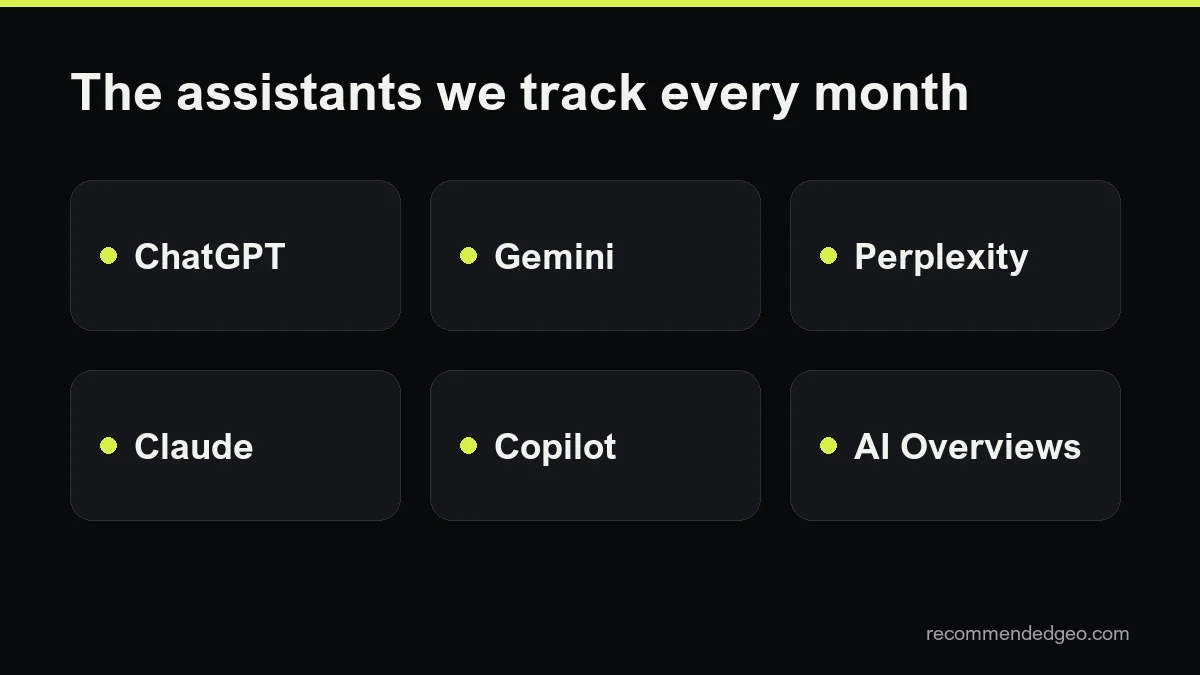
- Cover the assistants your customers use: ChatGPT, Gemini, Perplexity, Claude, Copilot and Google AI Overviews are a sensible default.
- Repeat each question several times, ideally three or more runs per assistant. The same prompt can produce different brands from one run to the next, so a single answer is an anecdote.
- Save the full answer text and the date. You will want to reread answers when a number moves.
Step 3: what to record for each answer
Keep one row per answer in a spreadsheet. These columns cover most needs:
- Question, intent group, assistant, country, language, run number and date.
- Mentioned: yes or no. Does your brand appear anywhere in the answer?
- Position: first, second, third or later among the brands named.
- Sentiment: positive, neutral or negative, with a short note when it is negative.
- Sources cited: the domains the assistant links to, and whether your own domain is one of them.
- Competitors named: every other brand in the answer, written the same way each time.
The sources column is often the most useful one. It shows which directories, media and comparison pages the assistants lean on in your category, which is where brand mentions tend to pay off.
The three metrics that matter
With the table filled in, three numbers are enough to follow progress month after month:
- Mention rate: answers that mention your brand divided by all answers. This is the headline figure.
- Share of voice: your brand's mentions divided by the mentions of all tracked brands (yours plus competitors). It shows your weight in the conversation, not just presence.
- Citation rate: answers that cite your domain as a source divided by all answers. It shows whether assistants use your content, separately from whether they name you.
Report each metric overall and by assistant and intent group. An average can hide that you are strong in Perplexity and absent from ChatGPT, or visible on brand questions but missing from discovery questions.
A worked example with a fictional brand
Example only: “Hornova” is an invented coffee machine retailer, and every number below is made up to show the arithmetic.
Hornova picks 20 customer questions, runs each three times in five assistants, all logged out, from the UK and in English. That gives 300 answers.
- Hornova is mentioned in 45 answers, so the mention rate is 45 / 300 = 15%.
- Across those 300 answers, the four tracked brands get 300 mentions in total: Hornova 45, competitor A 120, competitor B 75, competitor C 60. Hornova's share of voice is 45 / 300 = 15%, while competitor A holds 40%.
- Hornova's domain is cited as a source in 18 answers, a citation rate of 6%.
Reading the rows, the team sees that competitor A appears mostly on discovery questions and that two review sites are cited again and again. That gives a clear next step: get listed and reviewed on those two sites, and rewrite the pages that answer discovery questions.
How to measure AI visibility in Google Analytics 4
Assistant answers do send some visitors, and GA4 can isolate them. Google's help page on custom channel groups includes an example of an “AI assistants” channel built with a regex condition, placed above Referrals so those visits are not lumped in with other referral traffic.
A simple regex on the session source could include chatgpt.com, perplexity.ai, gemini.google.com, copilot.microsoft.com and claude.ai. Check your own referral report first and add any domains you see there, since assistants change their domains and apps. ChatGPT also tags many of its links with utm_source=chatgpt.com, according to OpenAI's publisher FAQ.
Two limits to keep in mind. Some visits from assistant apps arrive without a referrer and land in Direct. And clicks from Google AI Overviews cannot be separated from ordinary Google organic traffic in GA4.
What Search Console and Bing Webmaster Tools show
Google says in its documentation on AI features and your website that sites appearing in AI Overviews and AI Mode are counted in the Search Console Performance report, under the Web search type. There is no separate filter, so you see the total, not the AI share. For more on that surface, read how to appear in AI Overviews.
Bing goes further. Its AI Performance report, in public preview since February 2026, shows how often your pages are cited in Microsoft Copilot, AI summaries in Bing and some partner integrations, with total citations, cited pages and grounding queries. Later updates added intents, topics, citation share and period comparison. It counts citations, not clicks, and the grounding query data is a sample.
Neither tool covers ChatGPT, Gemini, Perplexity or Claude. To measure AI visibility across all of them, the question set stays the core of the method.
How often to measure, and common pitfalls
Monthly is a good rhythm to measure AI visibility for most brands. Changes to content and outside mentions take weeks to show in answers, and weekly runs mostly capture noise. A brand in a fast-moving or very competitive category may want two runs a month on its most important questions.
- Changing the question set every month. Add new questions in a separate group and keep the core set fixed.
- Judging from one run. Repetition is what turns anecdotes into a rate.
- Testing while logged in. Your own history pushes your brand into the answers.
- Counting mentions without reading them. A negative or outdated mention should not count as a win.
- Ignoring sources. The cited domains tell you where to work next.
Paid tracking tools can automate the runs and the spreadsheet. They are worth comparing once you know which questions and metrics you care about, because each tool samples differently and none sees every answer.
When to bring in help
Doing this by hand works well for a few dozen questions. It gets heavy when you add several countries, languages and assistants, and the measurement is only half the job: the other half is changing your site and your presence so the numbers move. That is what our GEO service covers. If you want a first read on where you stand, request the free GEO audit.
Frequently asked questions
How many questions do I need to measure AI visibility?
Start with 20 to 30 questions that real customers ask, spread across discovery, comparison, problem and brand questions. Consistency matters more than volume: keep the same core set every month so the results are comparable.
Why do I get a different answer every time I ask?
Assistants generate each answer fresh and may search the web differently on each run. That is why the method uses repeated runs and rates instead of single answers.
Can GA4 show traffic from Google AI Overviews?
Not separately. Clicks from AI Overviews are counted as Google organic traffic. Search Console includes AI Overviews and AI Mode in the Performance report, but without a dedicated filter.
Is there any official report of AI citations?
Bing Webmaster Tools has an AI Performance report, in public preview, that counts citations in Copilot and Bing AI summaries. The other major assistants do not offer an equivalent report for site owners.
Do I need a paid tool?
No. A spreadsheet and a disciplined routine are enough to begin. Tools save time at higher volumes. Our plans include monthly measurement of 30, 80 or 200 questions.